Delegate: Track Assigned Tasks
The Delegate function supports the quick assignment of emails to other individuals you are working with. Select the Delegate button from the ClearContext tab/menu or the ClearContext open message toolbar. The first time you select Delegate you will be presented with the options screen below.
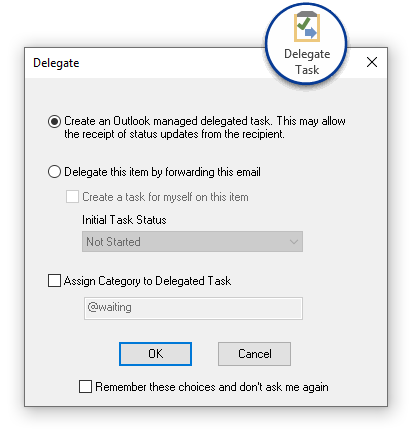
You have two options when delegating an email:
-
Create an Outlook Managed Delegated Task: This creates an Outlook task with the contents of the email pasted into it and attaches the original email. Enter a recipient name in the To: field and click Send - the assigned task is sent to your delegate. A linked task is created in your task list as well. If the recipient is an Outlook user, he can choose to accept or decline the task and task status updates are communicated back to you.
-
Delegate this item by forwarding this email: This option forwards the original email to your delegate and allows you to create a task in your task list to remind you of the assignment. Much like the ClearContext task button, the contents of the original email and an attachment are pasted into the task you create. Designate the initial status for the task (Waiting for someone else, In progress, etc.) from this dialog as well.
In both cases, use File Original in the task created to file the message you are delegating.